News Archive
New rarity trade
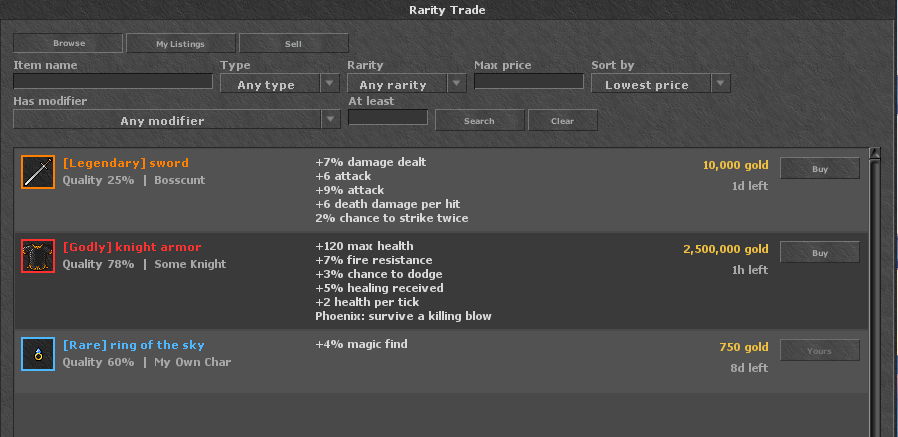
Rarity items can now be bought and sold through the new Rarity Trade window. Click the gold coin on your client toolbar to see every listing in one place, with each item's rarity, quality, modifiers, seller and price.
You can search by name, item type, rarity or maximum price, or look for a specific modifier with a minimum value, such as at least 5% attack. Sort by price, rarity or newest to find the best deal.
Selling: Put a rarity item in your backpack, open the Sell tab and set your price. A 2% listing fee is taken from your bank and isn't refunded. Listings stay up for 14 days, you can have up to 20 at a time, and anything unsold comes back to your inbox. Listings can only be created in a protection zone, and equipped items can't be listed.
Buying: Stand in a protection zone and pay from your bank balance. Your item arrives in your inbox with every stat exactly as it was, ready to collect from any depot. If you're the seller, the gold goes straight to your bank, or at your next login if you're offline.
Getting it: Download the latest client one more time from the Download Client page. From then on, the client updates itself when you start it, so you won't need to download the whole game again.